
The agenda
On the Spots screen, tap the tab Agenda. You see every announced activation, with reference, bands and modes, and date and time in UTC.
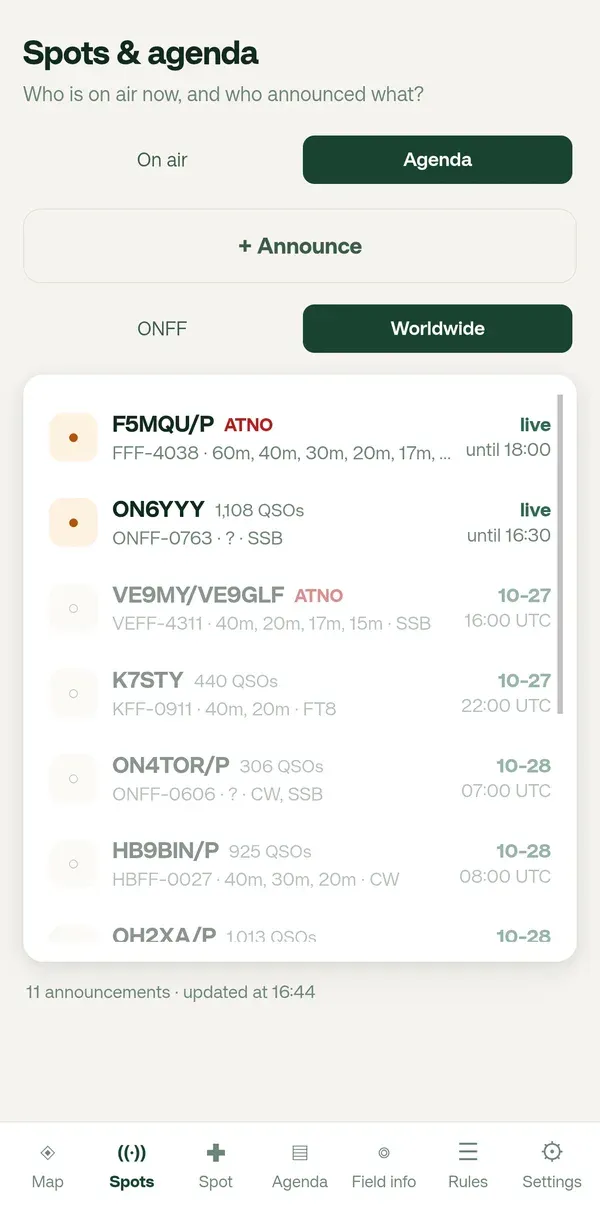
Reading the agenda
Section titled “Reading the agenda”- Running now: an orange dot and “live until …”.
- Still to come: grey, with date and start time.
- ATNO in red: the reference was never activated.
Your choice of your country or Worldwide applies here too.
Opening an announcement
Section titled “Opening an announcement”Tap a line. The map opens on that area with band and mode, the reserve, the locator, the remark and the bearing. ← Back to Spots takes you back.
Announcing yourself
Section titled “Announcing yourself”Tap + Announce at the top of the agenda. See Announce an activation.