
Welcome screen: location and statistics
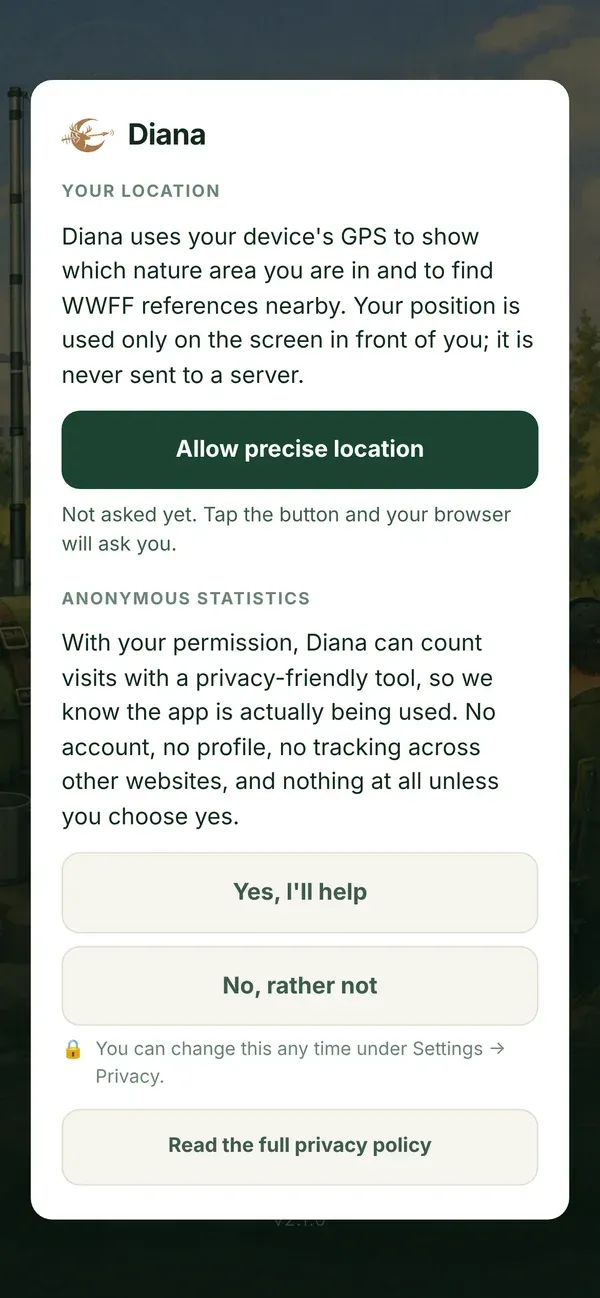
The first time you open Diana, the welcome screen asks two questions. Nothing is preselected: you choose.
1. Your location
Section titled “1. Your location”Diana uses the GPS of your device to show which nature area you are in and to find WWFF references nearby.
- Your position never leaves your device. It is used only on the screen in front of you and is never sent to a server.
- The permission is for Diana only, not for other websites or apps. A browser grants location per website.
- Diana asks for your position only while you use the app, a few seconds at a time. Never in the background.
- Diana does not switch your GPS on or off. That stays with Android or iOS.
Tap Allow precise location. Your browser then asks for permission: choose Allow (on a phone: “while using the app” and with precise location).
2. Anonymous statistics
Section titled “2. Anonymous statistics”With your permission, Diana counts visits with Umami, a privacy-friendly tool. That is how we know the app is really used, and which screens matter.
- No account, no profile, no cookies, no tracking across other websites.
- Nothing is counted unless you choose Yes, I’ll help.
- Diana works exactly the same whether you say yes or no.
You can change both answers at any time under Settings › Privacy. More in Privacy.
Straight after the welcome screen comes The setup wizard.